
01
Open tabs
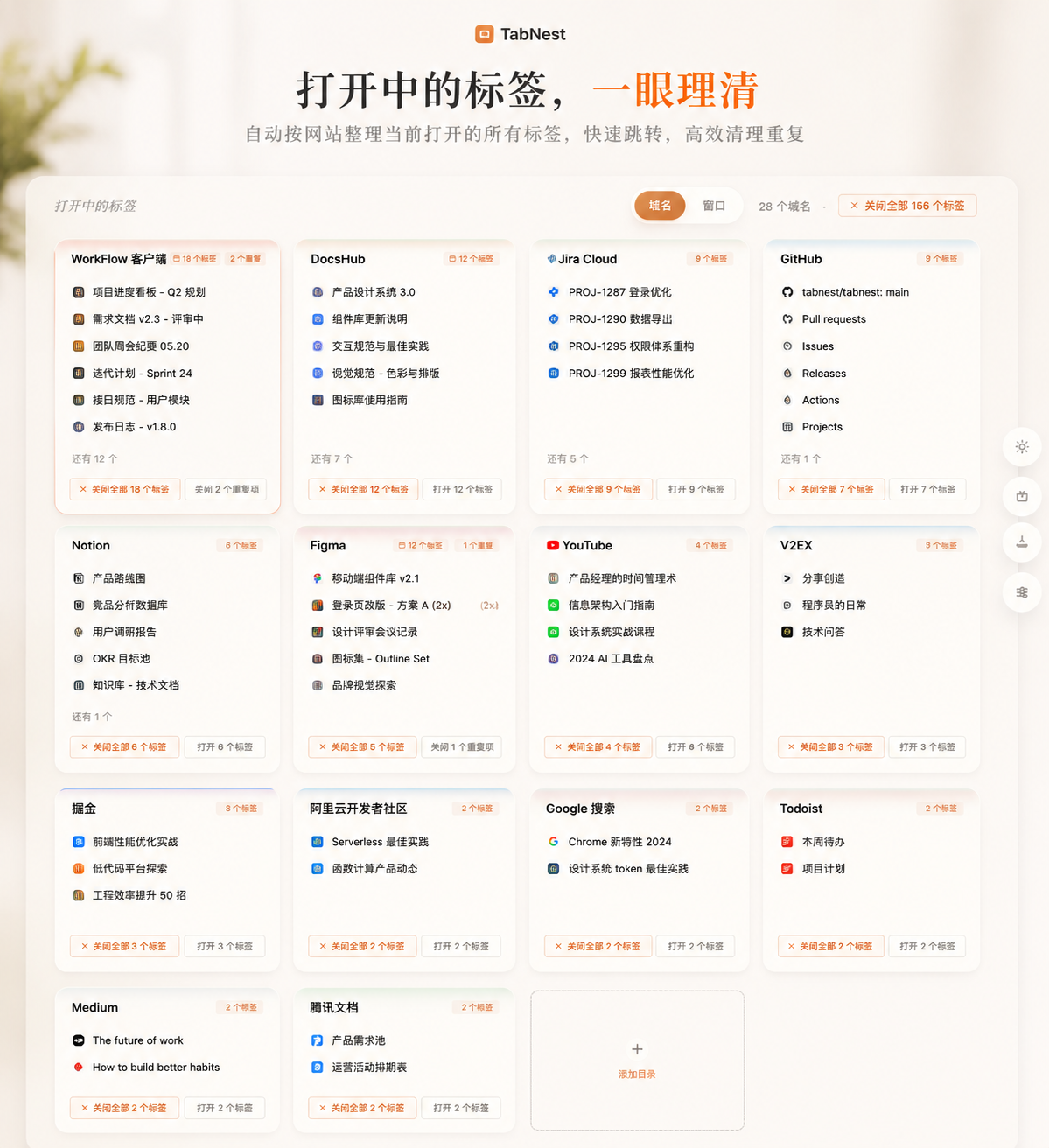
Group what you are actively working on by domain or by window, then jump, clean, and continue directly.
TabNest / Browser Workspace
TabNest is not only about closing tabs. It separates browser work into layers: what you are handling now, the materials you use this phase, reusable resource bundles, long-term quick access, and sessions you can fully return to later.
Local-first / No account / No backend / No external upload
Product Canvas
The first screen should show how the product carries real browser work, not only deliver a slogan. TabNest matters because it gives different classes of browser content their own place.
Workspace View
TabNest browser workspace
01
Group what you are actively working on by domain or by window, then jump, clean, and continue directly.
02
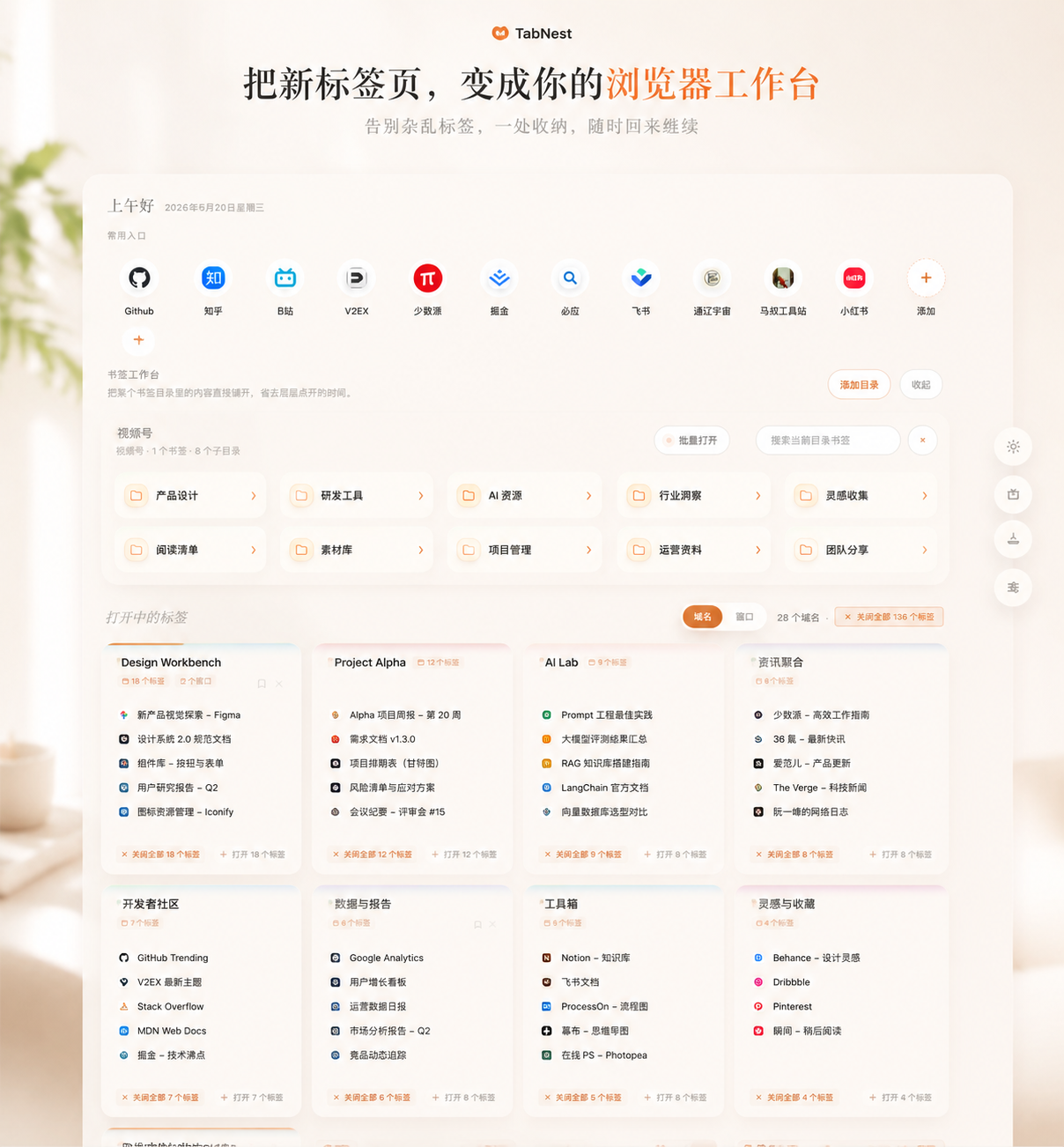
Pull this phase's high-frequency materials onto the workspace instead of burying them deep inside bookmarks.
03
Pack the current scene away now and return later without keeping dozens of tabs open as a memory crutch.

Why It Matters
Once the browser becomes your workspace, the real problem is not only too many tabs. It is that current work, phase-based materials, long-term entry points, and historical context all get mixed together.
Open pages, later-reading materials, and long-term utility sites often sit in the same layer, making it hard to jump back into context.
Phase-based materials may be high-frequency, but they still get buried in traditional bookmark trees that require repetitive drilling in.
When multiple windows and task lines are open, people keep dozens of tabs around as a memory crutch instead of storing and restoring context intentionally.
Browser Workflow
TabNest is not designed around one cleanup gesture. It is designed around giving each class of browser content its own place.
01
What am I handling right now?
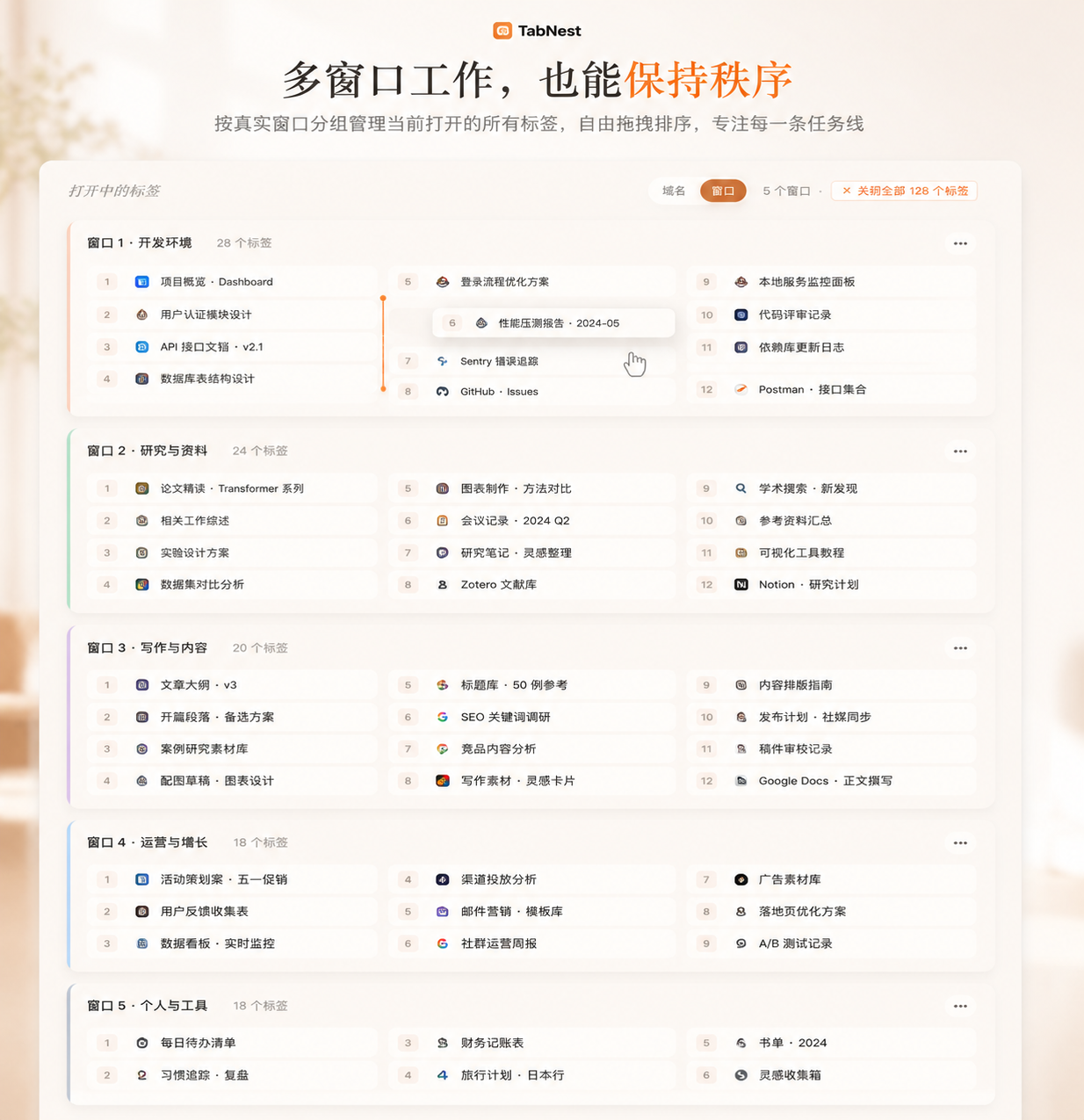
View every currently open tab from the new tab page, switch between domain and window views, clean duplicates, and manage real window order.
02
What materials do I use a lot this phase?
Pull phase-based resources onto the workspace and enter topic folders directly instead of digging through deep bookmark levels.
03
Which resource set will I reopen again later?
Select a group of materials, open them in batch, dedupe them automatically, and save them as a reusable working package.
04
Which sites are always part of my workflow?
Keep GitHub, email, docs, design tools, and dashboards pinned on the new tab page for instant access.
05
Can I pack this context away and come back later?
Store the current window or all windows as a named session and restore the whole context later instead of rebuilding it tab by tab.
Screenshot Story
The hero image establishes TabNest as a real browser work surface rather than a blank new tab.
Group current pages by domain so jumping, closing, and duplicate cleanup become direct actions.
View tabs by real browser window and keep different task lines structured.
Flatten topic-based resources onto the workspace so you can enter a working directory immediately.
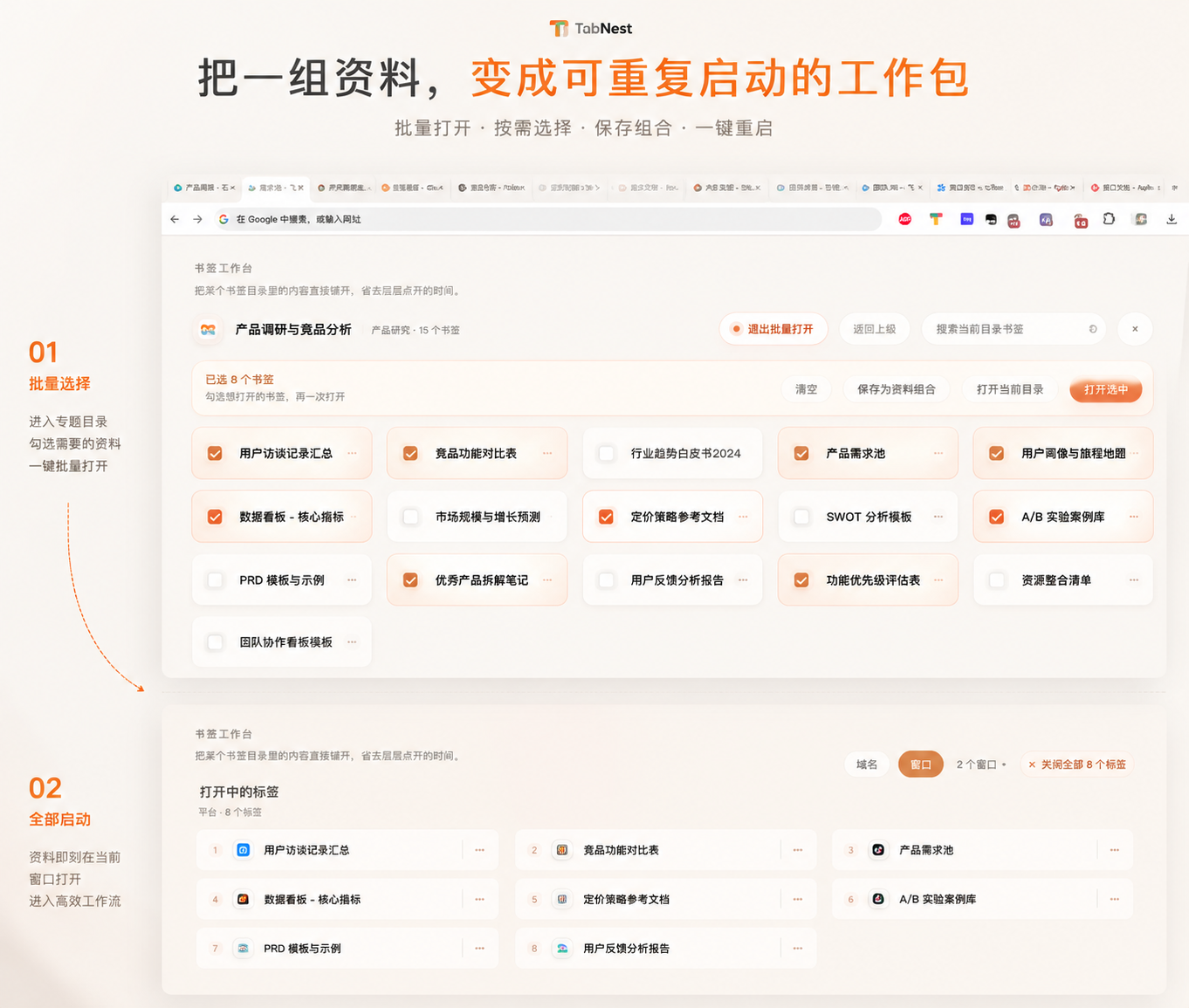
Select a group of resources, launch them in one move, and preserve the set as a bundle you can reopen later.
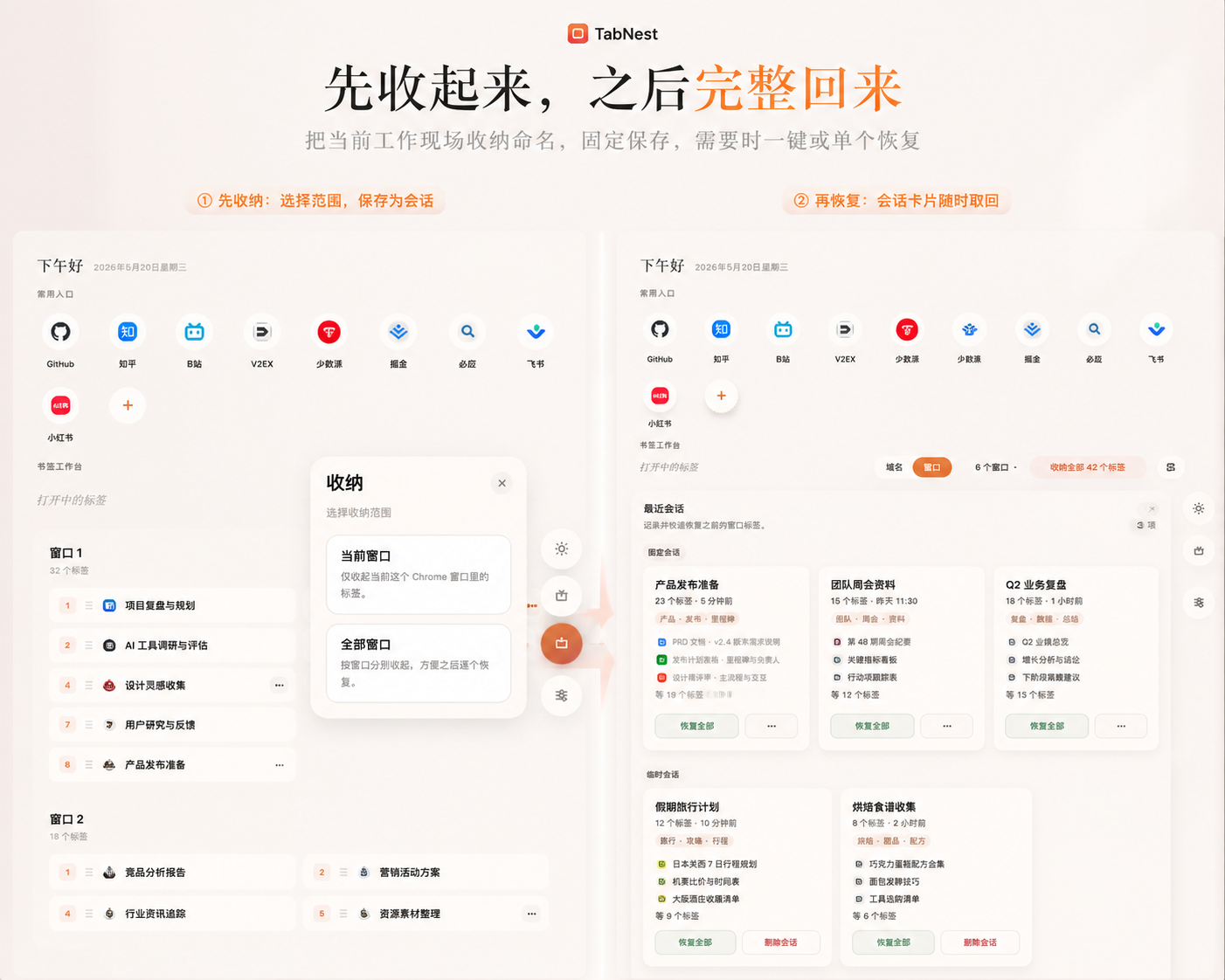
Store the current work context as a session and restore the whole thing when you need it again.
Local-first
Even as TabNest grows into tabs, bookmark workbenches, resource bundles, and sessions, it keeps the same product principles: light, local, and direct.
01
No account system
02
No custom backend
03
No user data uploaded to external services
04
Preferences, workbenches, bundles, and sessions stay local
Audience
People who keep many tabs open at once
People who often work across multiple Chrome windows
People with clear phase-based material management needs
People switching between active work, resource accumulation, and session reuse
Developers, operators, writers, researchers, and indie builders
It is not just about closing things down. It helps build layers, entry points, and a workflow system inside the browser itself.